How to use it

Install
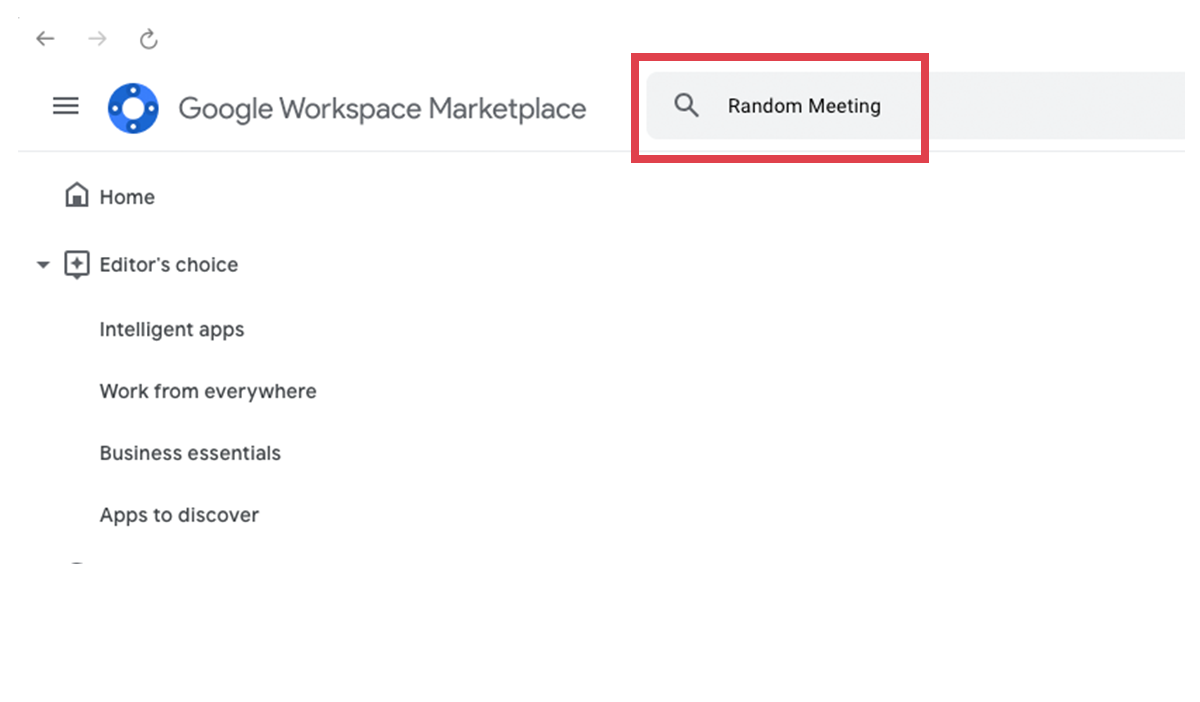
Search "Random Meeting" in the Google Workspace Marketplace and install it

Launch
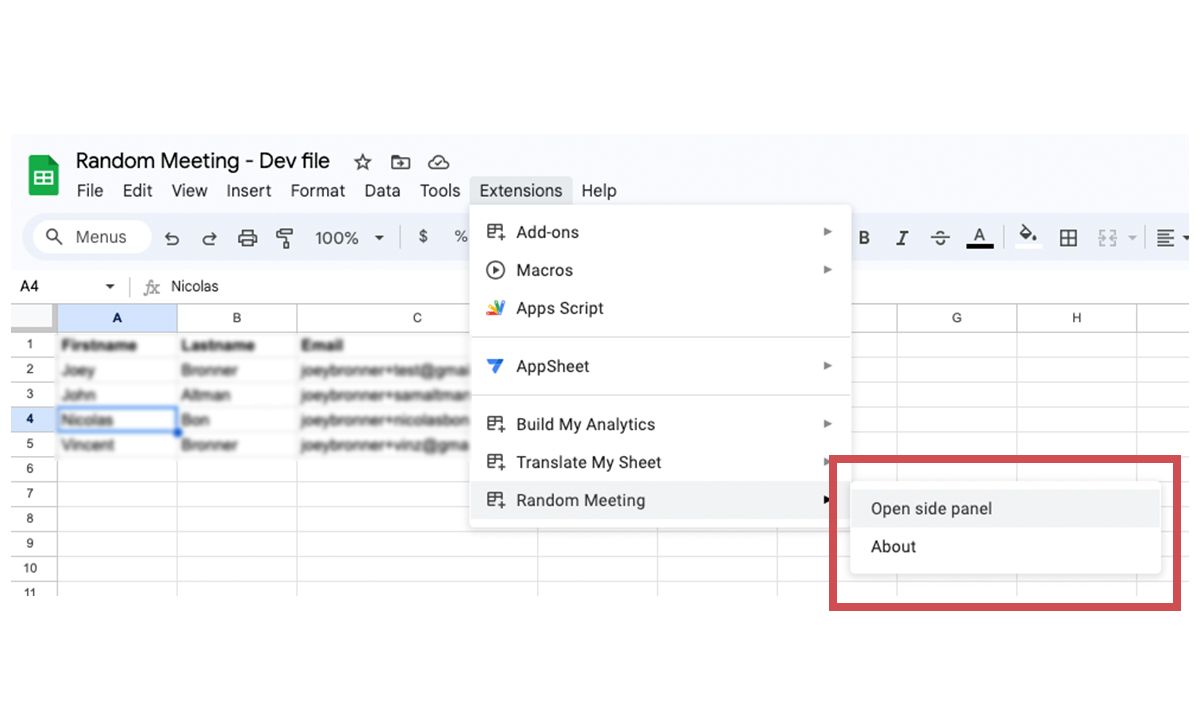
Launch the side panel in the top bar: Extensions > Random Meeting > Open side panel.

Fill your spreadsheet
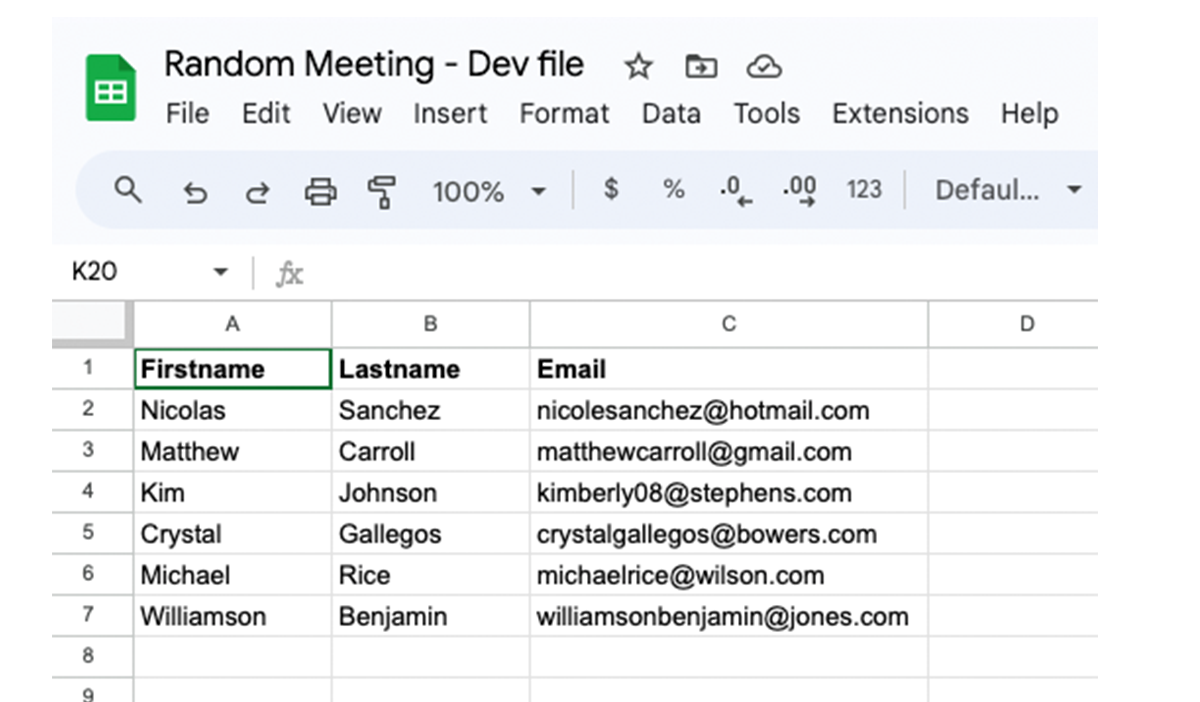
Enter your employees info:
Column A: Firstname, Column B: Lastname, Column C: Email

Plan & Randomize
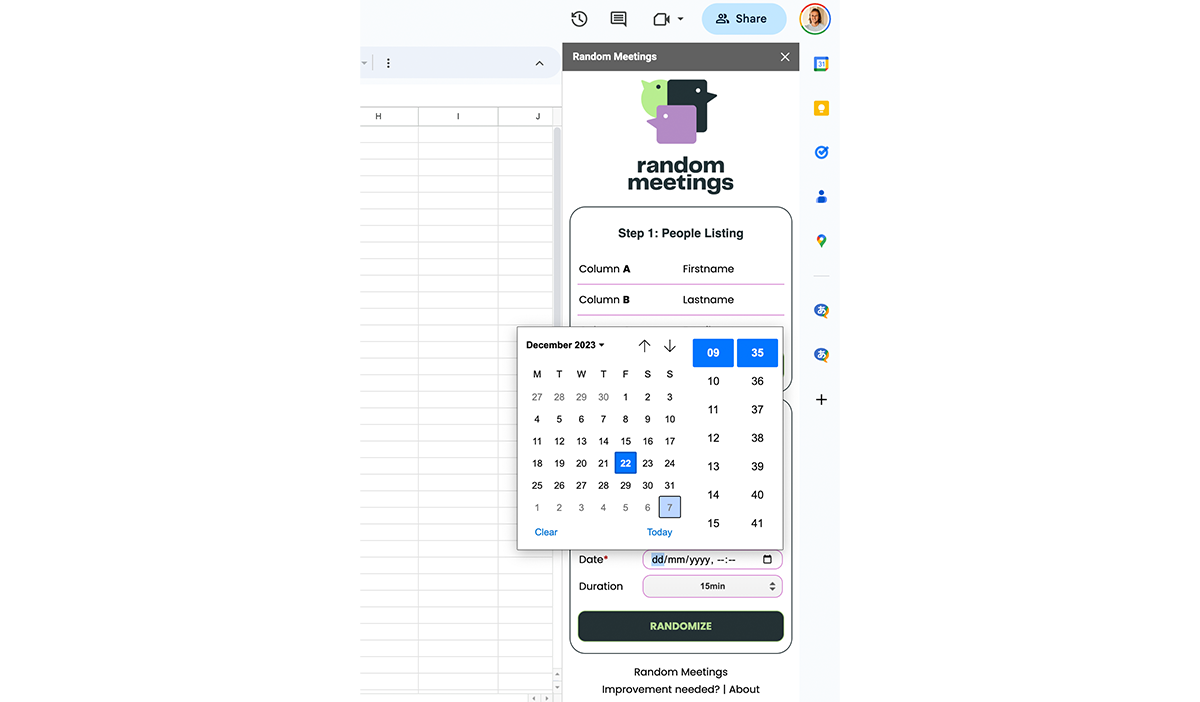
Fill meeting info, select a date and a time, and click on "Randomize"
Install
Search "Random Meeting" in the Google Workspace Marketplace and install it
Launch
Launch the side panel in the top bar: Extensions > Random Meeting > Open side panel.
Fill your spreadsheet
Enter your employees info:
Column A = Firstname, Column B: Lastname, Column C: Email
Plan & Randomize
Fill meeting info, select a date and a time, and click on "Randomize"
Features
Why you should choose Random Meeting

Google Calendar™ Integration
It generates Google Calendar™ meeting with a Google Meet™ conference attached to connect them
Positive Workplace Culture
Random meetings encourage fun and social interactions at work, leading to healthier and more mentally acute employees.
Improve the onboarding experience
It connects new hires with existing employees, helping them build relationships and feel more at ease.